Feedback tools for producers: which one fits your studio?
Contents
"Bass at 0:42 could come up a touch." Clear enough, you can work with that. And most of the time you already know which version they mean. Still, you scroll back through the thread for a second just to be sure it's the latest bounce and not last week's. Ten seconds, no big deal. But across twenty tracks and a few artists it happens constantly, and every so often the note lands on the wrong version anyway.
So it's not the disaster it sometimes gets made out to be. Nobody's actually drowning in messages. The feedback just doesn't stick to the track. It shows up as a voice note, an email with a screenshot, a comment under a private link, with no timestamp and no clear version attached. You sort it out in your head, and usually that works. It just costs you a small moment each time, and those add up.
There's a whole category of tools for exactly this now. I went and looked at what's out there and what each one is genuinely good at, so you can see where the real differences sit when you're choosing.
What these tools actually fix
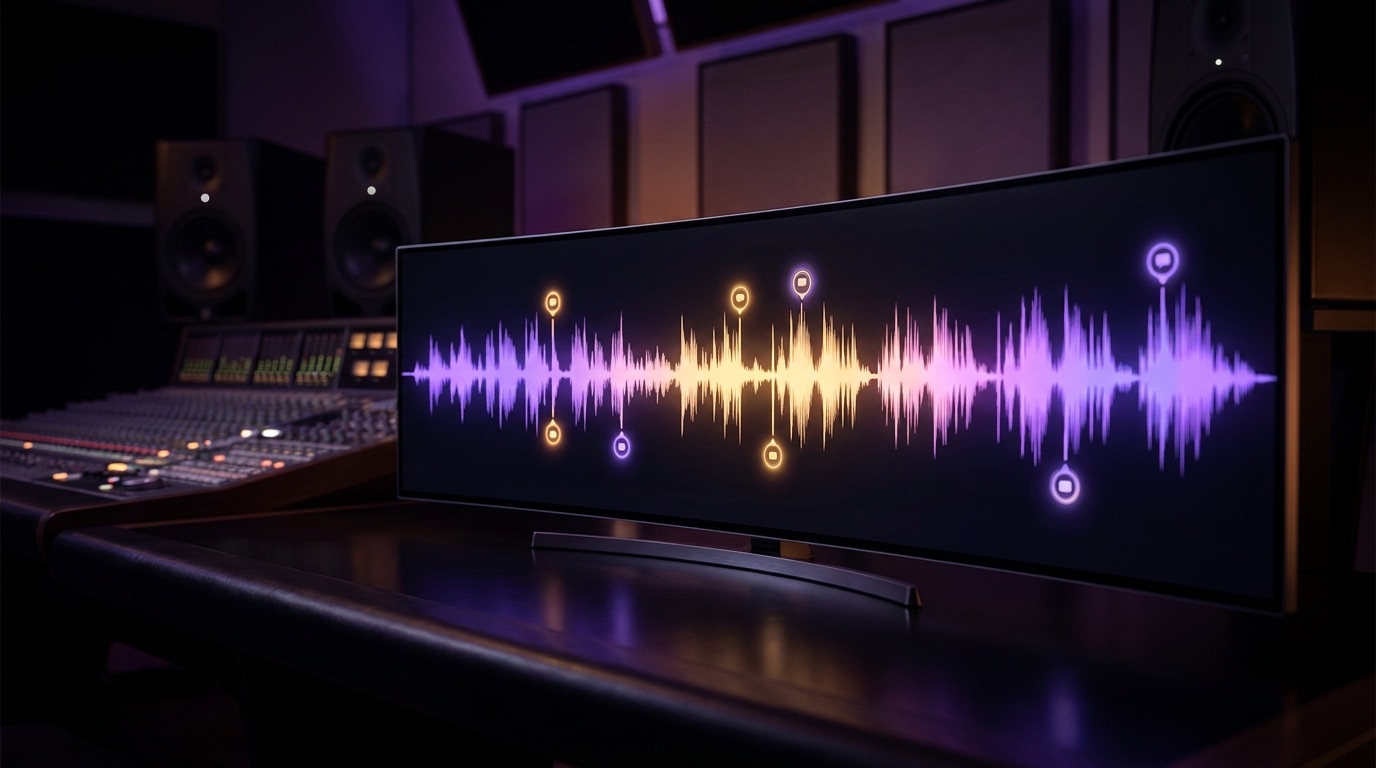
The core idea is the same everywhere: the feedback belongs back on the track. Instead of "something's off in the chorus," the person giving feedback clicks the waveform at 1:24 and drops the comment right there. You open the player, see the marker in the exact spot, and know straight away what they mean. Most of them add version management on top, so v1, v2 and v3 don't blur into one folder called "final_final_NEW."
So far, so similar. Where they split is how much of the rest they take off your plate.
Feedtracks
Feedtracks is built around client feedback, but it does more than just comments. Upload the mix, share the link, and the client marks up the waveform directly, by text or voice note. On top of that you get version comparison, folders, playlists and a blockchain certificate as proof of authorship. There's a free tier with 1GB, and paid plans start around $7 a month with a bigger tier for more storage. A good fit if your focus is clean sign-off with clients.
Wavsen
Wavsen comes from the same corner but points entirely at handing work to clients. Version switching, timestamped feedback, and automatic watermarking on playback so your roughs don't go out unprotected. Clients don't need an account, they open the link and comment, and the final WAV only unlocks after approval or payment. There's a portfolio page with an A/B player, and recently client payments through Stripe. It's still young, runs around $12 (Pro) to $24 (Studio) a month, and has a free tier. For mix and mastering engineers juggling different clients, it makes sense.
Pibox
Pibox aims wider than music, at creative teams working across audio and video. It's still taken seriously in music though, with labels like Universal and Sony using it. Comments sit on the waveform, either on a single point or a whole range, with version chains for quick comparison, tasks with statuses, and a mobile app. If your studio works as a team and wants everything in one place, chat, files, versions and feedback, it fits well. It gets weaker around navigation and on mobile, which users bring up again and again.
Boombox
Boombox (boombox.io) is built for musicians and wants to be the whole hub. Timestamped comments by text or voice note, on a point or a range, with version history that covers lyrics too, song splits that turn into signable contracts, and private playlists for pitching. On top of that come AI tools like mastering and stem separation, and even distribution to all the major DSPs, from Spotify to TikTok. There's a free tier with a few GB. If you'd rather keep storage, feedback, rights and release in one place, this is your spot.
CuePort
CuePort goes past the feedback and organizes the whole production around it. The waveform comments are there, color-coded by role (artist yellow, studio purple), with version management right in the player. But that's only part of it. Every production runs through the same six steps, from lyrics through instrumental and vocals to mix and master, cover art and payment, so you always know where a project stands. Each artist gets their own login and uploads directly: stems go straight to the studio, say for mixing, along with the cover art. There's a studio calendar for sessions with iCal sync, and Spotify stats that refresh themselves daily. It runs as a web app on desktop and phone, and a Reaper script pulls the comments straight into your project.
Pricing: free to try, Pro at 6.99 € a month, Studio at 14.99 €. The free plan runs without a credit card.
This isn't the full list. There are others like Notetracks, Bridge.audio or Baton that play in the same space. But the five above cover the range well enough.
Where the tools really diverge
The waveform comments are about equally good everywhere. The difference is in everything around them, and it falls into roughly three directions.
The first is pure sign-off. Wavsen, and Feedtracks to a degree, are built for sending finished mixes to clients and getting them approved. Lean and usually cheap.
The second is broad collaboration. Pibox and Boombox want to be more than a player. Pibox bundles chat, files and tasks for the team, Boombox stacks AI tools and distribution on top. Both reach well past feedback.
The third is studio management, and that's where CuePort sits. It's organized around the production itself rather than the handoff: artists, the six-step flow, sessions and Spotify numbers. Feedback is one part of that, not the whole point.
So the question isn't which tool has the prettiest waveform. The question is which part of your day you want it to take off your hands.
Which one fits you
Quick version, no long wind-up:
If you mostly send finished mixes for approval, go with a sign-off tool. Wavsen if watermarks, a portfolio page and client payments matter to you. Feedtracks if you want it leaner and pick up some cloud storage along the way.
If you work as a team and want chat, files and feedback in one place, Pibox is worth a look. If you also want AI tools, rights and release under one roof, then Boombox.
If you run an ongoing roster of artists and want the whole production in hand, projects, sessions, versions and feedback together, then you want a studio platform like CuePort.
There's no single best tool. There's the one that fits your day. Run two of them on a real project for a week and you'll know fast whether a player is enough or whether you want to lose the rest of the mess too.
Full disclosure
This post lives on the CuePort blog, so I'll be straight about it: I build CuePort myself, as a producer who's in sessions every week. I still tried to describe the other tools fairly, because a rose-tinted picture does you no good. If a lean sign-off tool fits you better, use it. And if you want to see what the whole studio in one place feels like, you'll find CuePort at cueport.app.
Frequently asked questions
What’s the best tool for track feedback?
It depends on the job. For straight client sign-off, Wavsen or Feedtracks are strong; for team collaboration, Pibox or Boombox; for full studio management, CuePort. There’s no single winner for everyone.
How does feedback directly on the waveform work?
Whoever’s giving feedback clicks the spot on the waveform where something needs to change and writes the comment right there. You see the marker later at the exact timestamp and know immediately which second they mean.
Do I need a tool like this if I work alone?
If you only send the odd finished mix, probably not. Once you’re working with artists or clients regularly and juggling several versions per track, it saves real time.
What does a feedback tool cost?
Most have a free tier to start. Paid plans run roughly $5 to $25 a month depending on features. CuePort is free, with Pro at 6.99 € and Studio at 14.99 €.
Can artists upload files themselves?
In tools with an artist or client portal, yes. In CuePort, artists upload their stems and cover art straight to the studio, say for mixing, without ever touching your dashboard.